Hit Them In The Numbers
Caller ID can be faked.
Callback numbers can't.
Scammers leave real numbers on your voicemail. Share it with NumBan, verify new callback numbers, and keep your personal email out of the report.
Hit Them In The Numbers
Scammers leave real numbers on your voicemail. Share it with NumBan, verify new callback numbers, and keep your personal email out of the report.
The part that matters
A scammer can rotate the number that appeared on your phone. The number they ask you to call is the useful lead.
How it works
No new inbox, no spreadsheet, no detective board.
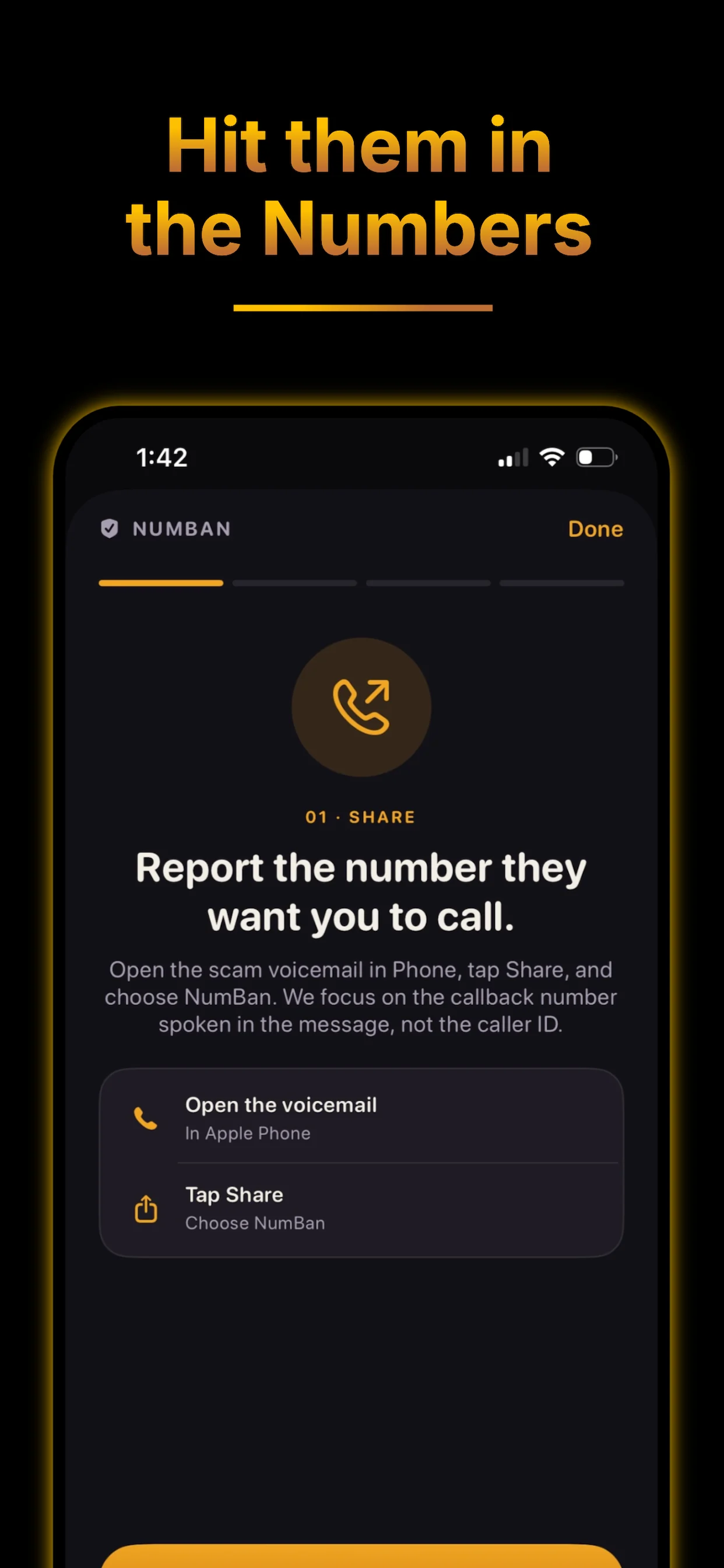
From Phone, send the voicemail to NumBan when a caller asks you to call a number back.
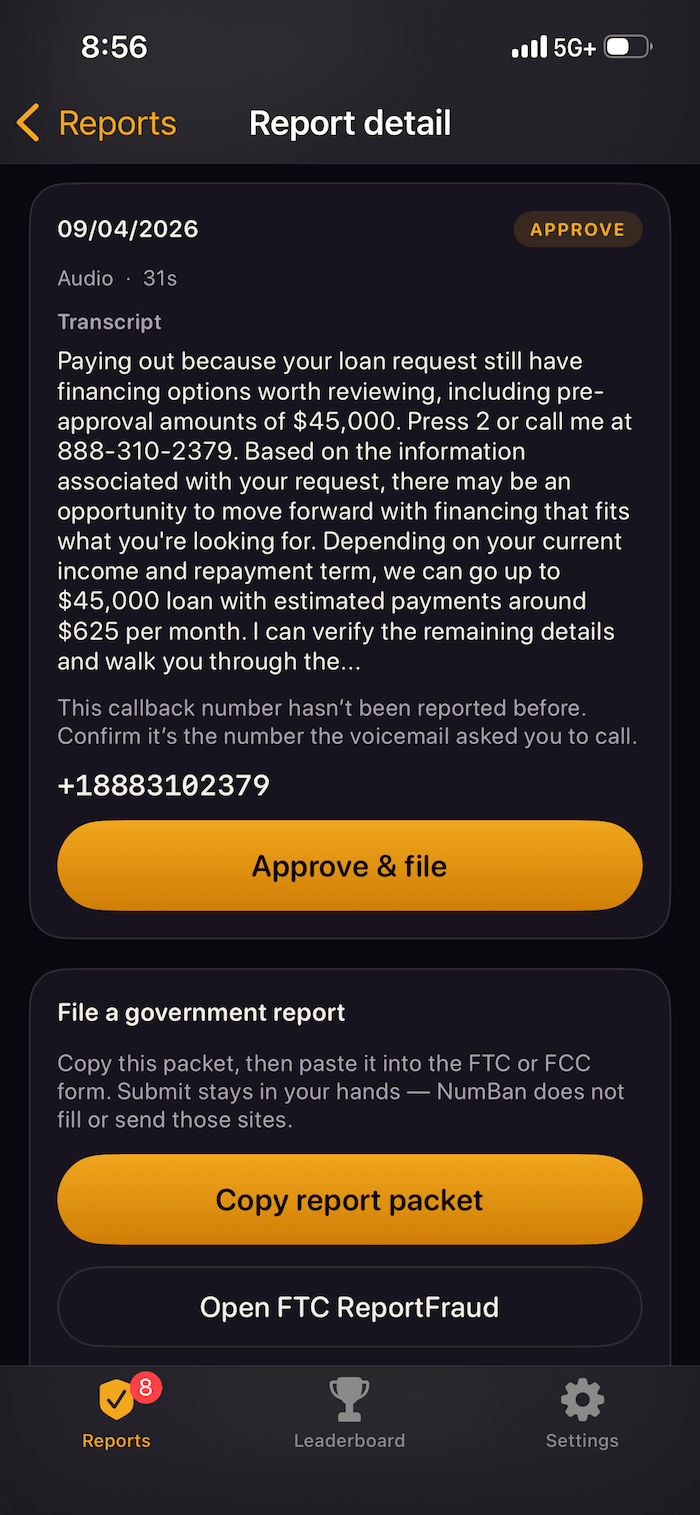
NumBan surfaces the callback number and the relevant part of the transcript for you to check.
Previously verified numbers may be handled automatically. New numbers ask you to verify the callback and report details first.
The loop
The app, in one screen
The report view keeps the evidence, callback number, and your next action together—without turning a voicemail into a project.
Private by design
Voicemail audio and optional screenshots stay private and are not published on public number pages.
Previously verified numbers may be approved automatically. For a new number, you verify the phone number and report details before submission.
Your personal email is not included in carrier reports.
Your rights
Read general information about the TCPA. NumBan does not evaluate individual legal claims or provide legal services.
Learn about TCPA rightsFAQ
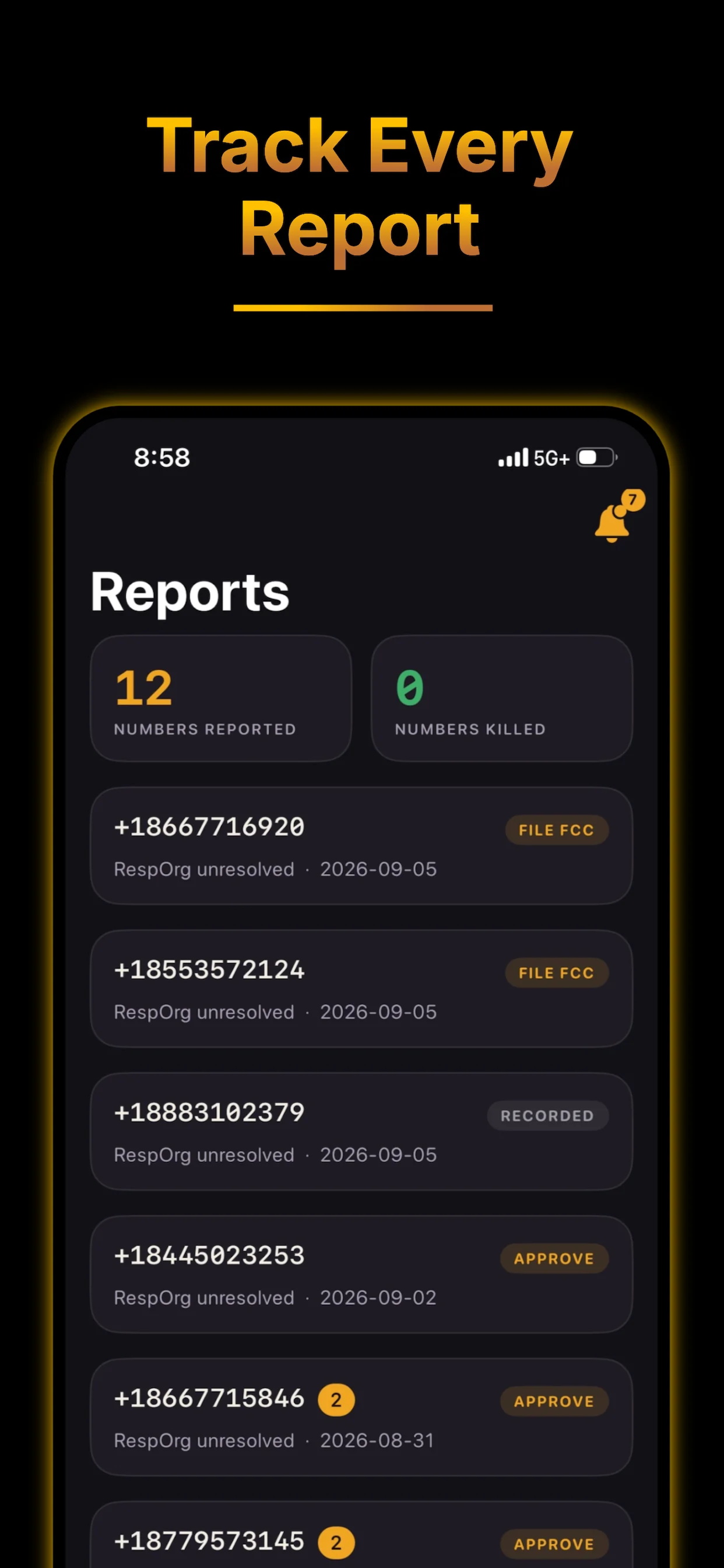
NumBan helps identify and report scam callback numbers. Share a voicemail from Phone.app, check the callback details when asked, and follow reported numbers for status changes. Confirmed kills rank you on the leaderboard.
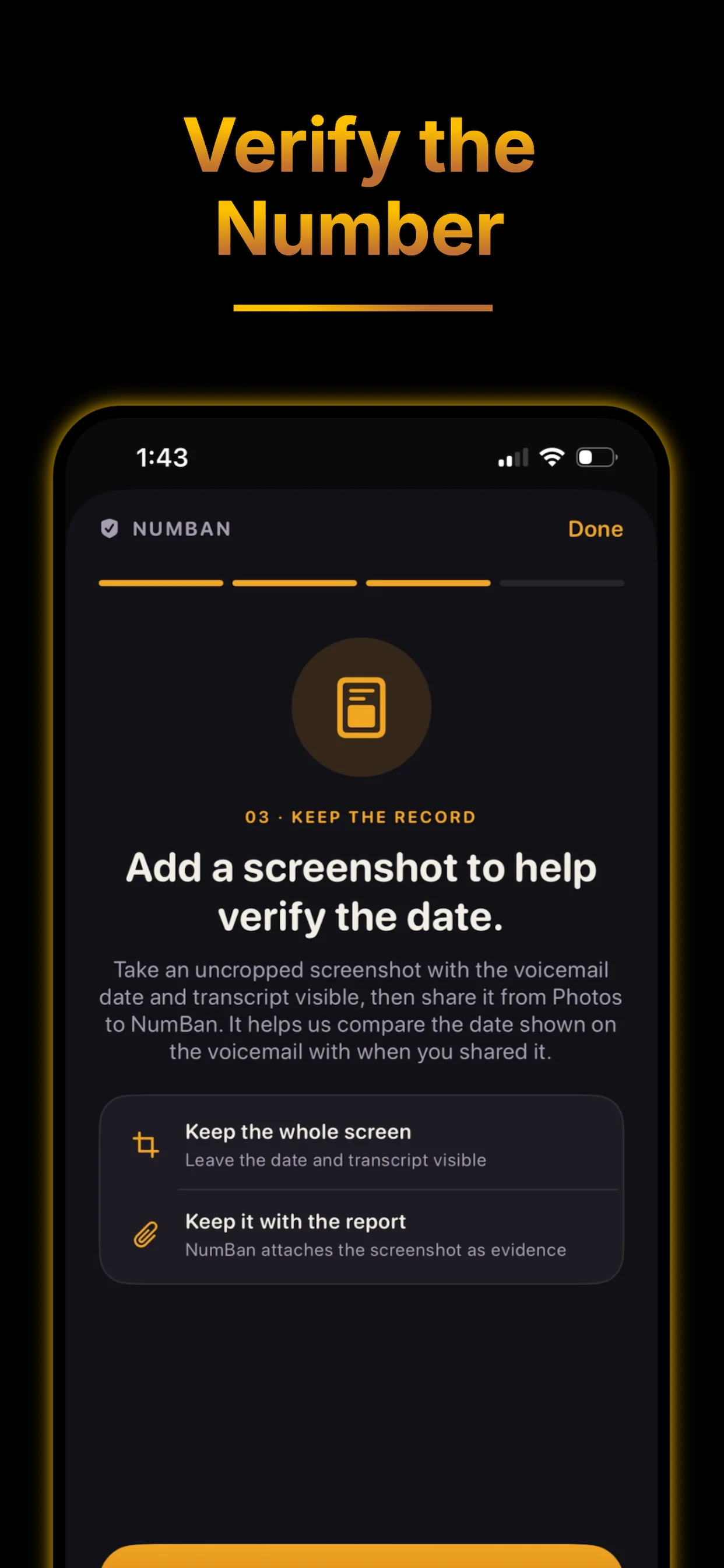
NumBan transcribes the shared voicemail audio on its servers and extracts possible callback numbers. You can share an uncropped screenshot after the audio; NumBan attaches it to a matching voicemail, or you choose the voicemail in the app. A screenshot is not filed as its own report. New callback numbers require you to verify the number and report details before submission.
Eligible reports for numbers NumBan has verified before may be approved automatically. New numbers require you to verify the callback number and report details. Approved reports enter the carrier-filing queue; complaints are currently filed manually while automated email delivery is disabled. Your personal email is not included. NumBan then tracks the number for status changes.
A kill is confirmed when a reported callback number becomes disconnected or is no longer routable after abuse complaints are filed. NumBan re-checks weekly, pings you when it dies, and counts it on the leaderboard.
No. Voicemail audio, screenshots, and recognized screenshot text are kept as private report data and are not published. Public number pages show aggregate, redacted details such as report counts, carrier information, and scam type.